Note! After switching to your own SSL, you have to redirect your domain into dns2.sugester.com.
Forum / Knowledge Base
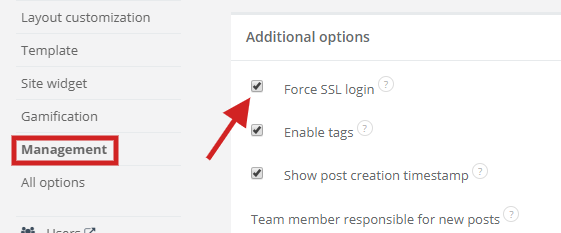
The option Force SSL login causes the page to be redirected to the HTTPS protocol at login and registration.If your suggestion forum works on your own domain and you want to login via SSL, there are 2 options available:
1. select Settings > Forum settings > Management > Additional options > Force SSL login - and then login will be done by temporarily redirecting to the domain * .sugester.com where the correct SSL is installed
2. it is also possible to send your own SSL certificate to us and we can connect it to the website - then you will not be redirected to the domain * .sugester.com
NOTE: if SSL is enabled and you are referring to images or CSS from other servers, then you should check whether these references are via HTTPS.