There, you can either edit existing categories by clicking the wrench icon or add new ones by clicking the 'Add' button.
Editing knowledge base categories
Updated at:
•
Number of views: 3351
•
1 min read
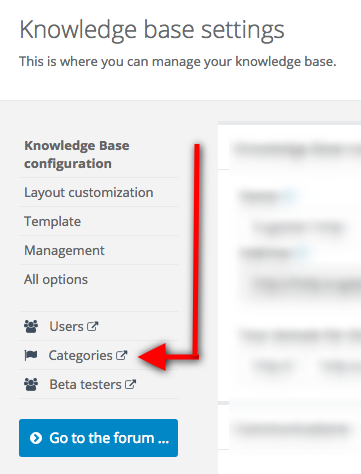
If you want to add, remove or edit your knowledge base categories, simply go to Settings > Knowledge base configuration > Categories.

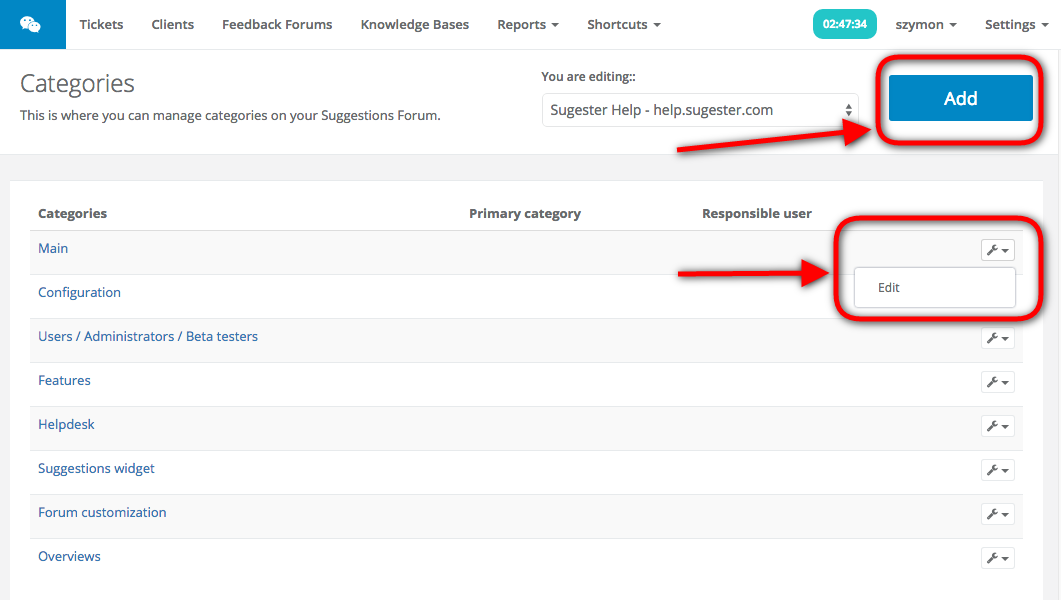
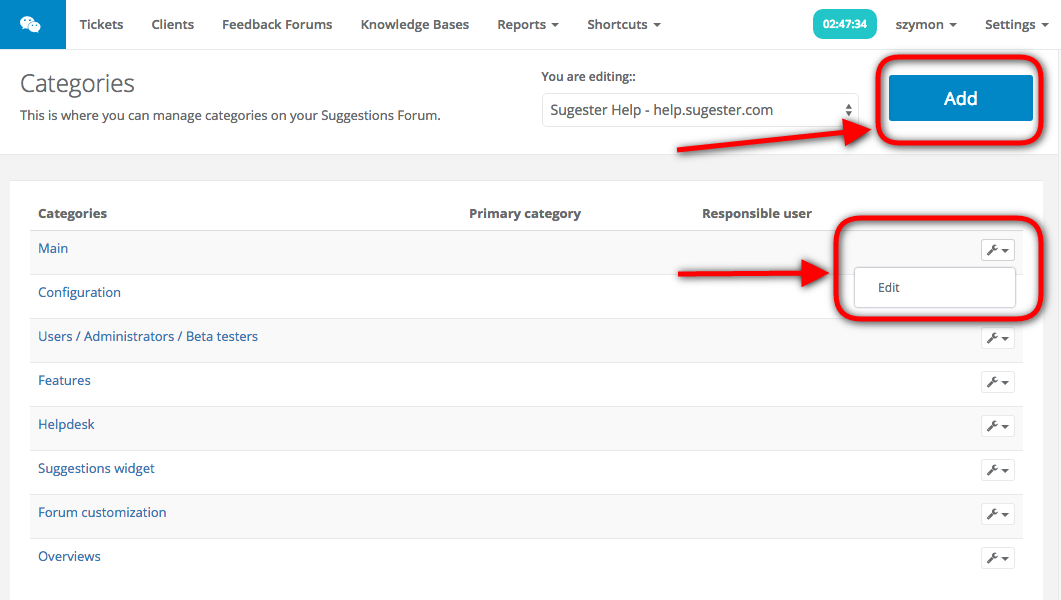
There, you can either edit existing categories by clicking the wrench icon or add new ones by clicking the 'Add' button.

There, you can either edit existing categories by clicking the wrench icon or add new ones by clicking the 'Add' button.