1. What is a timesheet?
A timesheet is a way to display the time spent working. Sugester allows you to automatically collect information regarding time spent on given tasks, projects, or other activities, and to turn this information into timesheets.2. How to generate a timesheet?
Generating your own timesheet is incredibly simple. All you have to do is select ‘Work time’ from the menu, next click on the ‘Report’ button. An incomplete timesheet will look as follows: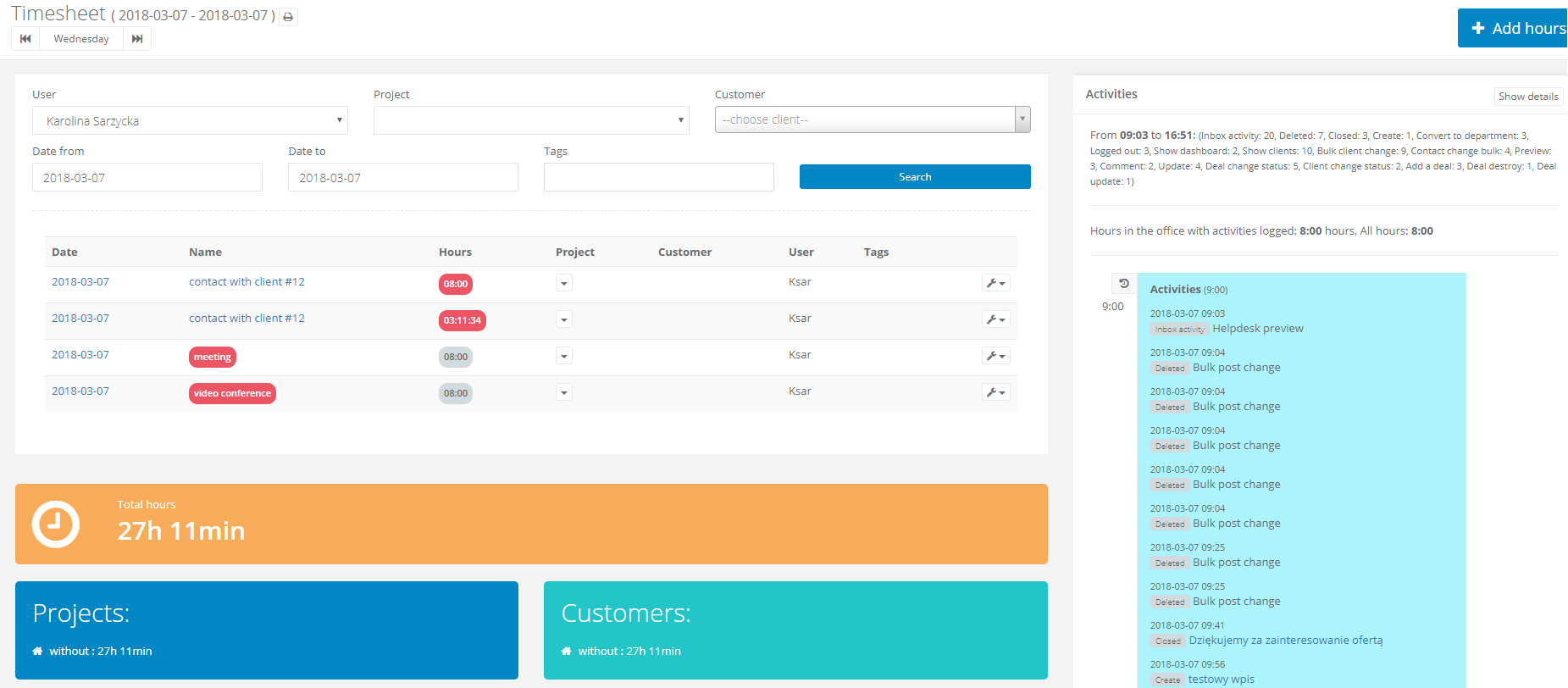
As you continue to use Sugester your Timesheet will continue to fill itself. In due time you will be able to use it to generate invoices, receipts and other necessary documents for a functioning Enterprise.
You can generate a working hours report - depending on your needs by using the following fields in a timesheet:
User - here you can select which employee you wish to generate a report for
Project - find a project which you are conducting for a client and for which you wish to be paid
Client - find a client, whom you wish to bill for the time spent and the work conducted
Date from - date till - Specify the period for which you wish to generate the report
Tag - select the tags for which you want to analyze the report