In your Sugester's account you can create many knowledge bases and share them with groups of people, dependent on their content and meaning.
For example, you can create your product base which would contain all the most important information and the manual. You can also create an internal knowledge base, where you can leave some pointers for your coworkers - this way you can improve the workflow. Also, you can create a knowledge base for registered users only.
Select the kind of access
To select the kind of access, go to Settings > Knowledge base settings > All options > Privacy.
Unfold the list at Who can post and choose between:
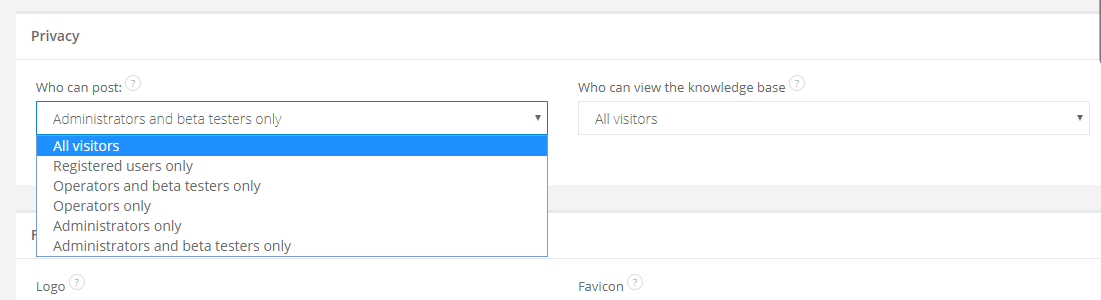
- All visitors - if you select this feature, everyone can create articles; the best solution for all of you, who needs to collect feedback
- Registered users only - enables posting only after signing in - this way you can create a private knowledge base
- Operators and beta testers only - enables posting for Sugester's users only (employees with a profile in your Sugester's account) and for chosen users, who are defined before in Beta Testers section
- Operators only - a knowledge base is created only by Sugester's users
- Administrators only - only account's administrators can add new posts
- Administrators and beta testers - adding posts is allowed for administrators and beta testers only
In the next step unfold an arrow in the Who can view the knowledge base section and select one of a possibility described above. Remember that you're granting an access for reading posts only.
Private knowledge base
If in the Who can view section you've selected Registered users only, it means that you've just created a private knowledge base. After clicking in the link to your knowledge base, a user will be transered to the sign up page. In the bottom right corner a user will see a note, that the knowledge base is private and only registered users can read its posts.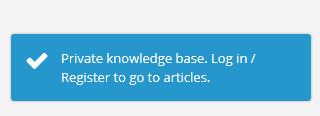
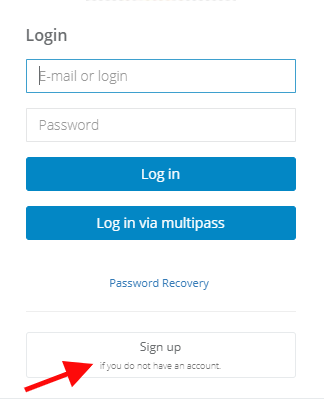
Remember that a user from a private knowledge base will have to login every time before reading your knowledge base.