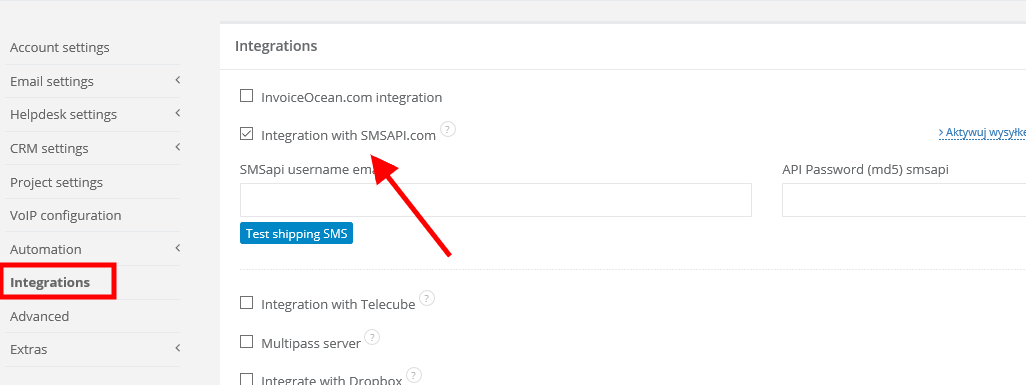
Learn more about integration here.
1. SMS sending
To send SMS to a client, first go to his/her client's profile in CRM, then unfold contact's menu and select 'Send SMS'. If you send a message in this way, there will be a note on client's profile.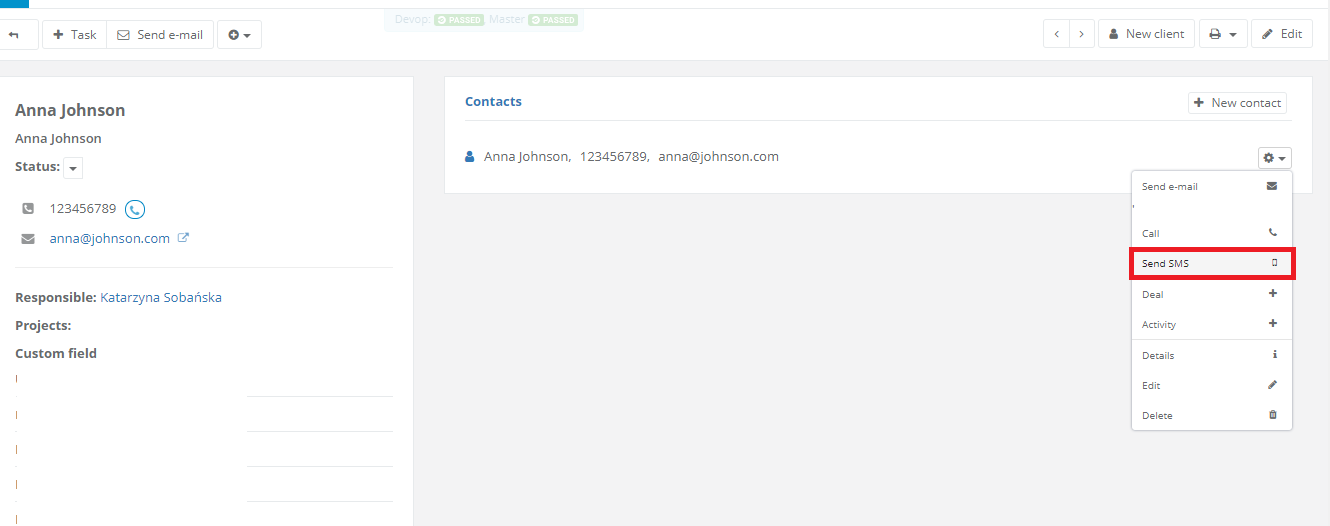
2. SMS campaigns
To send SMS campaign, first tag your receivers with a new tag or paste the same list with phone numbers (while sending campaign).A group of clients you can tag with multi-checking (with shift and mouse) in Clients/CRM:
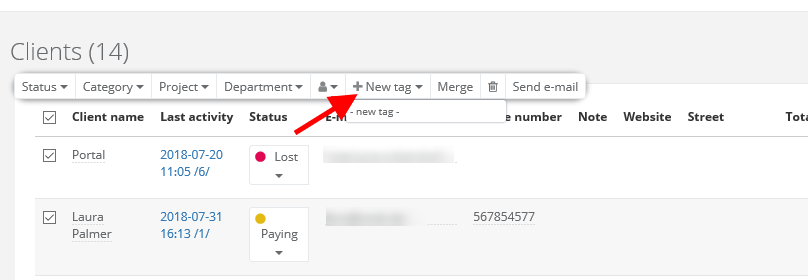
After tagging your clients you can start sending your SMS campaign.
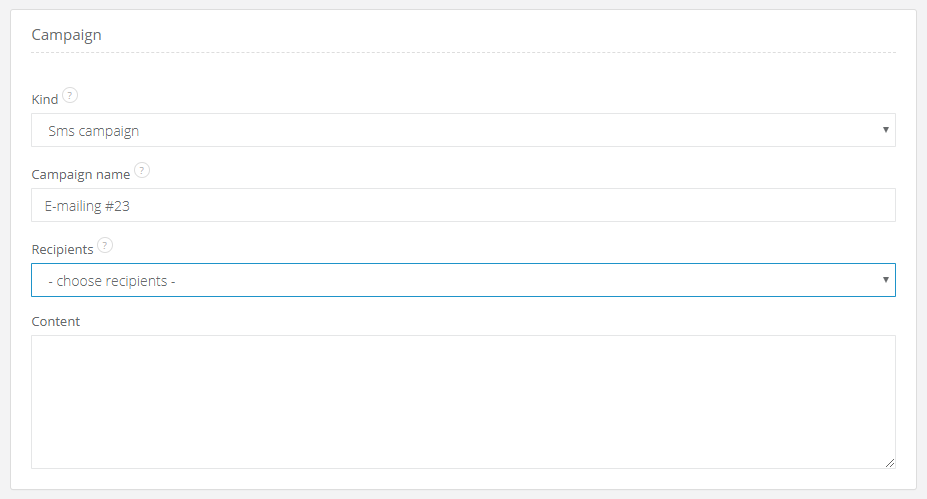
Go to Email campaigns and select SMS campaign.
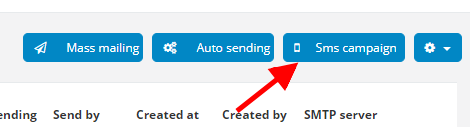
After clicking you will be transfered to a window to create the campaign.
3. Statistics
When you're done with sending, you will be able to see, how many people received your message (you just have to click on your campaign). In client's profile, in Activities you will find information about SMS campaigns. Here you can also check the content of SMS.Note!
Phone number can be written in different ways: with spaces, comas or in one line. For our system it's not a problem - messages will be send regardless of that.
This feature is available in Enterprise Plan only.