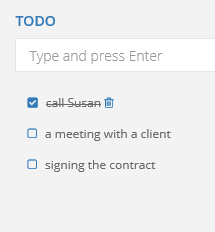
TODO list is a good alternative for creating a new task to an email. In projects you can note each step necessary for finishing the project. After finishing each step, you can just unmark this step, it won't be deleted from the list, but will be crossed out. This will remind you later the stage of a project or a task. Each step you can also delete by using Trash can icon.
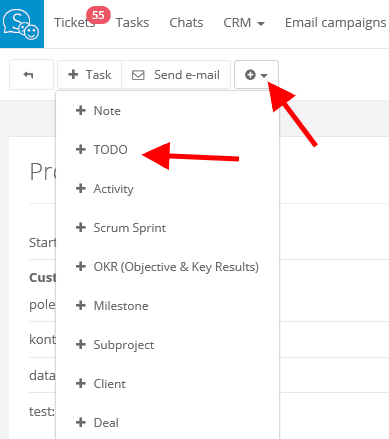
To enable notes in tasks and emails just click on TODO in email/task/project card.