To add the Sugester widget to your website, you must obtain a code snippet from your account. To embed a new widget, go to Settings > Chat configuration > +Add and clik Save.
To embed an existing widget, go to Settings > Chat configuration, select the chat you want to embed, click on the wrench icon and select Show from the drop-down menu.
You will see a small snippet of code similar to this one:
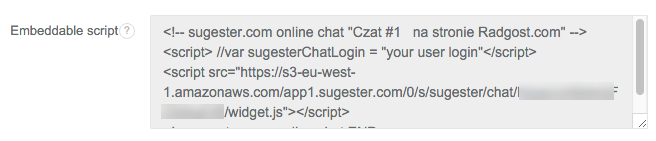
Copy it to your clipboard or a text file and keep it handy - you will need to paste it into your website's source. See below if you want to learn how to add scripts to some popular CMSs.