Skip to content
Sugester Help

How to enable Facebook login

Updated at: Number of views: 8322 1 min read
To enable Facebook login, go to Settings > Account settings > Login and tick Login with Facebook. You are going to need two codes - your Facebook App Key and Facebook App Secret. You can find out how to obtain them below. How to obtain Facebook App Key (Facebook App ID) and Facebook App Secret

1. Go to the Facebook deveoper page (developer.facebook.com/apps).
2. Register as a developer.
3. Click "Create a New App".
4. Put in your app's name and click "Create App ID".
5. You will see this screen:
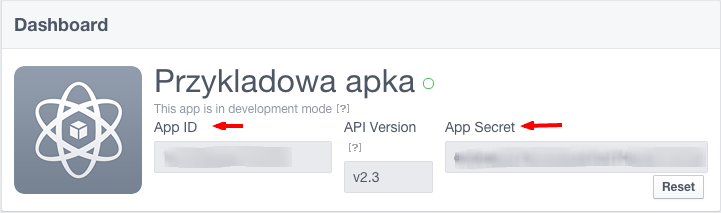
6. Copy the "App ID" and "App Secret" values and paste them into Sugester.

Was this entry helpful?

Share

Comments

Add comment