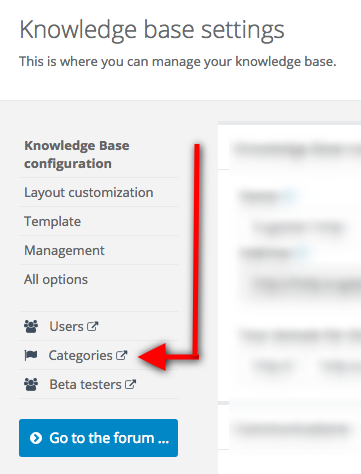
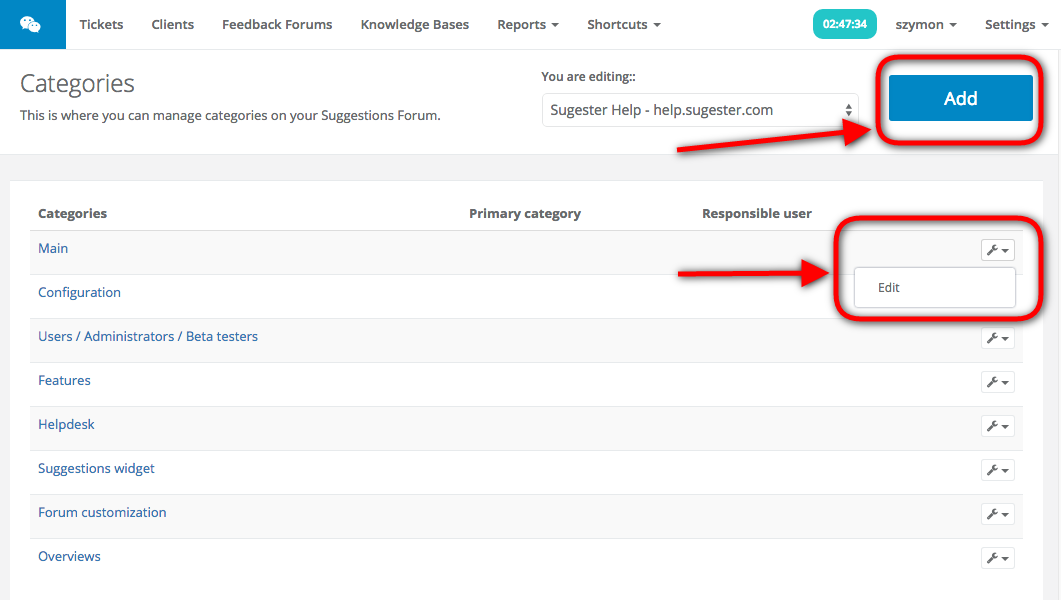
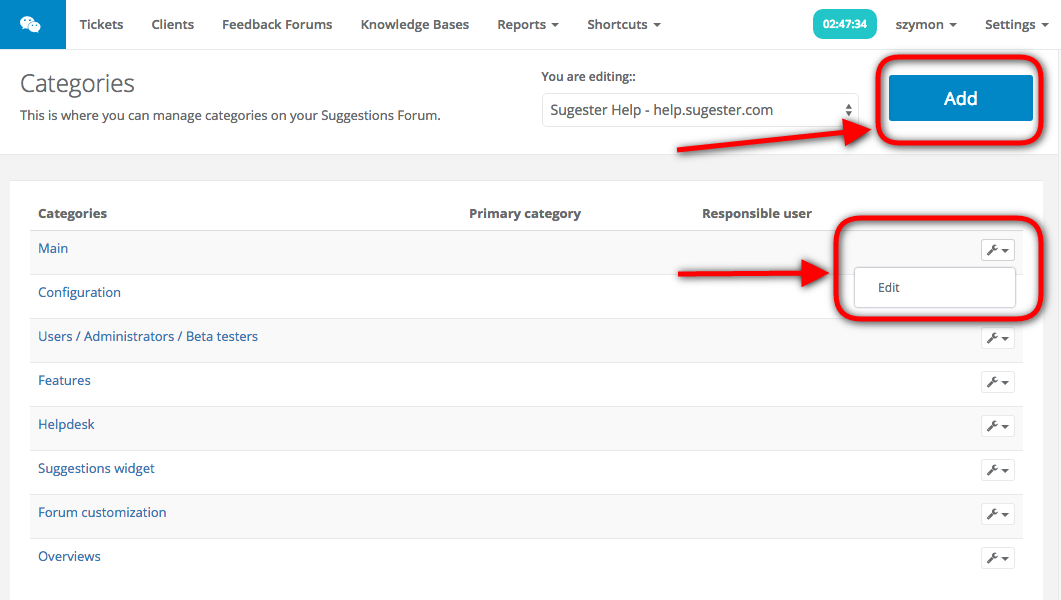
If you want to add, remove or edit your knowledge base categories, simply go to Settings > Knowledge base configuration > Categories. There, you can either edit existing categories by clicking the wrench icon or add new ones by clicking the 'Add' button.