Login
Apart from manually adding users Sugester also offers you the ability to synchronize “externally” with other services using the Simple SSO and Multipass SSO protocols.
With the help of these protocols Sugester is able to authenticate users from external databases.
Simple SSO - only requires you to configure the appropriate link (login > simple sso > sso url) to allow for login in external services.
Multipass - except for a link (login > simple sso > sso url) also requires you to have a private token (login > multipass sso > multipass token) which should be in the hands of the external services administrators.
Multipass is harder to configure but offers a greater scope of data security.
Multipass Settings
To turn on multipass, you must navigate to the Menu Settings > Account Settings > Integrations and in the field SSO login method select Multipass SSO.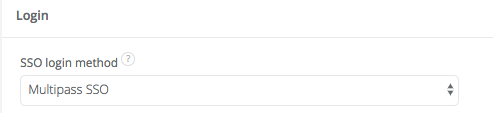
Next you will have to provide the login URL for your own internet application and generate a token.
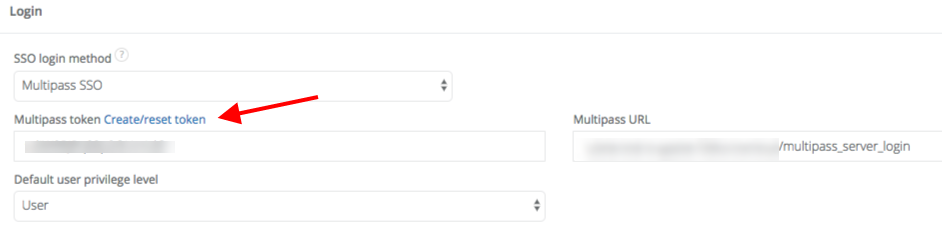
How it works
Multipass enables for automatic login and user account creation through the use of properly encoded data in the form of requests.Users who want to login to Sugester are redirected to the URL specified in the “Multipass” settings. Your application should redirect the user back to the Sugester login page (of which the URL is shared through the use of the parameter “login_url”) with a specially generated “Multipass” parameter, i.e.:

Sugester will check the eligibility of the request and decipher the following data:
- user login - always
- user email - only the first time (to register an account) - the date when the request was submitted
- (optionally) - the url to which the user will be redirect after login
- (optionally) - the nickname which a user will be granted after a successful login
Encryption algorithm
The Ruby rails code which generated the “Multipass” parameter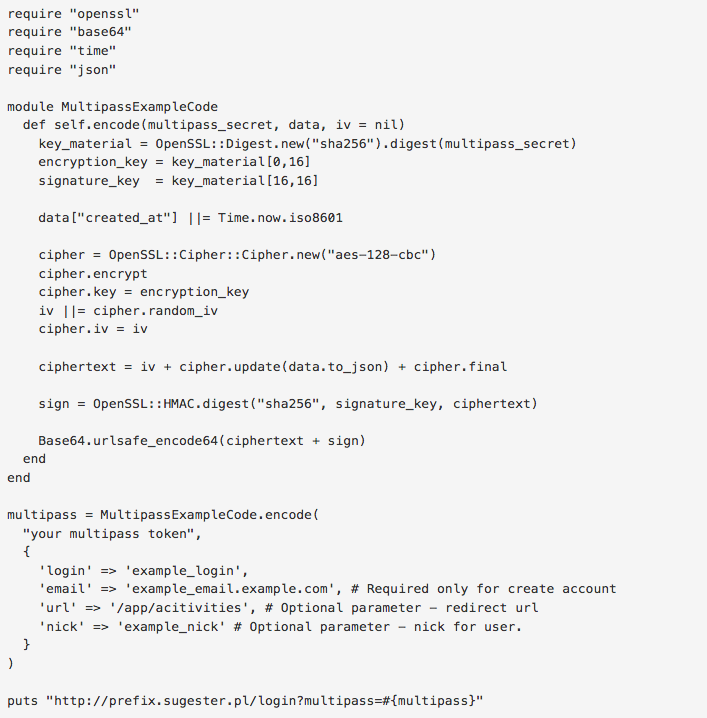
NOTE
Our Multipass works in accordance with the mechanism proposed by Shopify.