Skip to content
Sugester Help

How to add new users?

Updated at: Number of views: 1915 1 min read
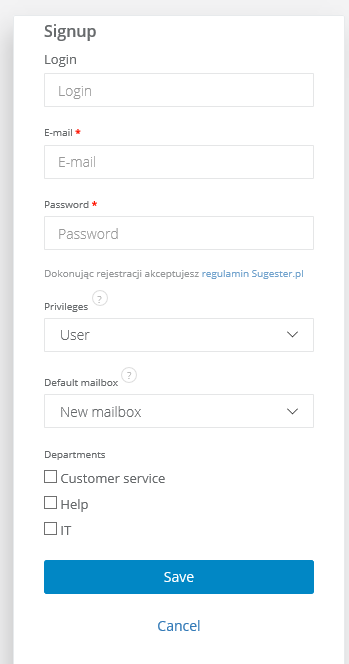
Group work is a key for success in customer service. If you want to add coworkers to your Sugester account, just select Settings > Users > Add user. You will see this screen: In fields above fill in Login, E-mail and Password (user can change that later) and new user's Privileges (Guest, User, User restricted to helpdesk and Administrator). He/she will receive an e-mail with info about creating account and link for login.
Was this entry helpful?

Share

Comments