You can create recurring tasks in Settings > Automation > Recurring task. Click on + New recurring task in top right corner. You will see a window like the one below:
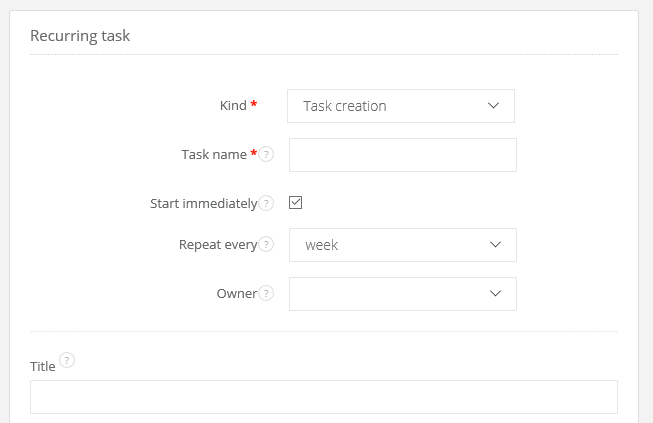
As you can see, in here you can select a task name, select how often this task needs to be performed, select who is responsible for completing the task, and type a describtion and a title for the task
Task's name might be different than its title - the name is for you (eg. 'John's weekly report reminder'), and the title is for a person responsible for completing the task (eg. 'Create a report').
You can also choose, if a task will start immediately (it means that the first recurring task will start now, and from now on it will repeat itself tomorrow, in a week, in a month etc.) or from a chosen date.
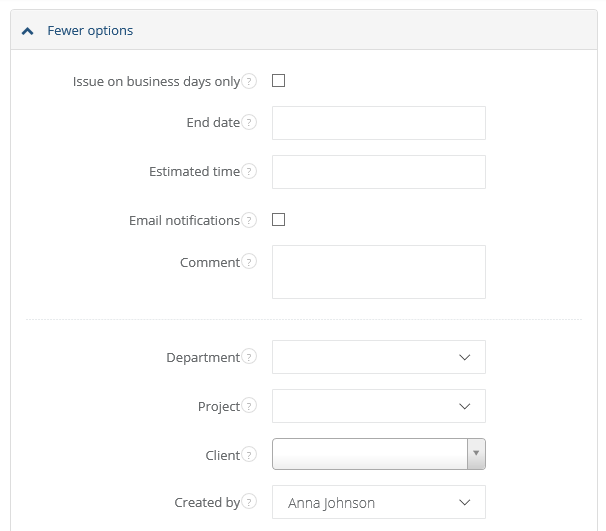
If you unfold 'More options', you will see additional fields for recurring task.
After filling in fields click on Save.