To receive your emails in Sugester, all you need to do is to paste in your email settings an appropriate forwarding address. To do that, go to Settings > Email settings > Email boxes, select a mailbox and copy the Forwarding address. It will look similar to the one below:
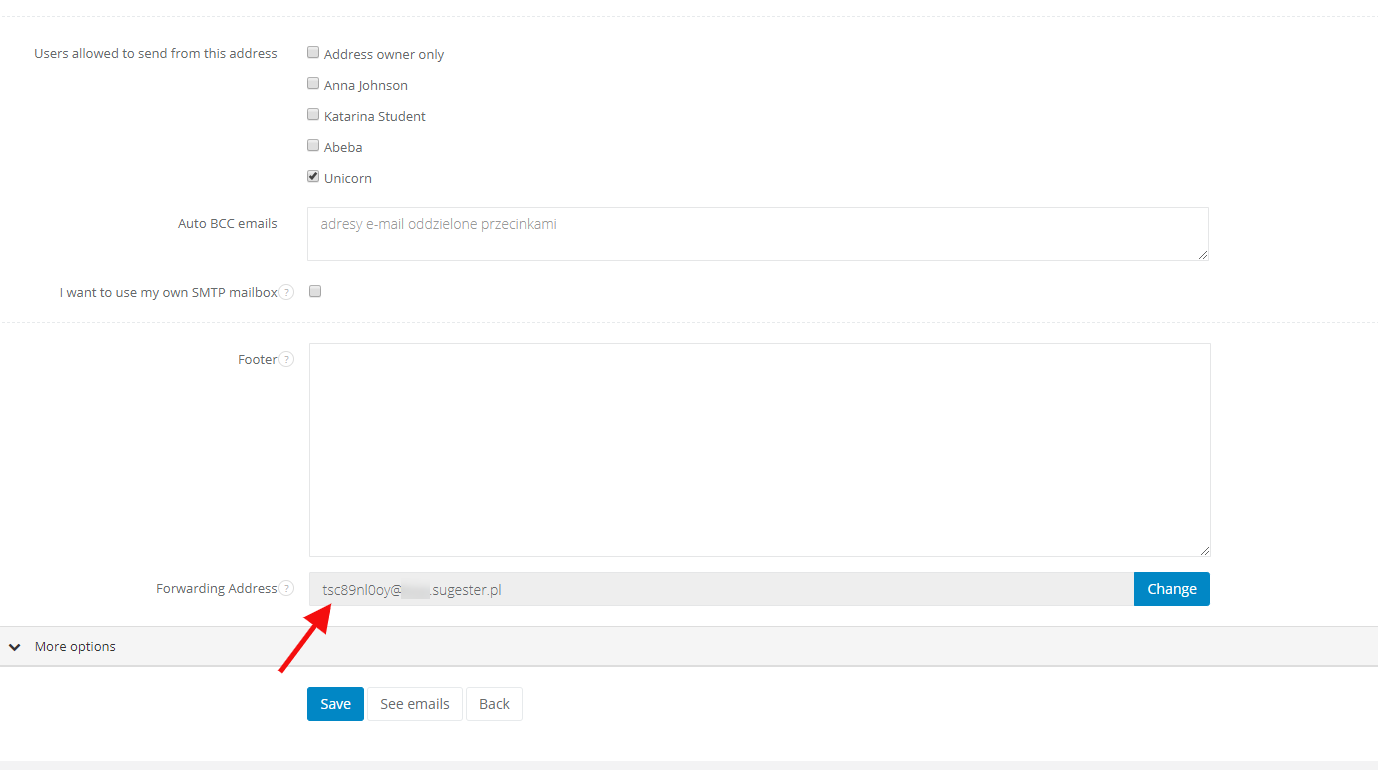
After saving the changes in your domain settings, each email sent to your mailbox, which you've just forwarded, will be redirected to Sugester. With such redirection you can add to Sugester many mailboxes with different domains, but with the same prefix, like: info@sugester.com and info@invoiceocean.com.
Note! With the forwarding you keep the copy of your emails also in the mailbox forwarded to Sugester.
You can also forward your domain's MX to Sugester. This way all emails will be redirected to the Sugester's inbox, but there won't be a copy at your email provider.
Note! The size limit of an incoming email is 30MB (content+attachment).