Skip to content
Sugester Help

The ability to generate your own titles for subpages displayed within Sugester

Updated at: Number of views: 2561 1 min read
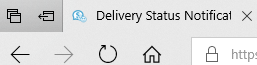
Sugester enables you to change the way the title of a subpage which we are viewing is displayed. To change the format of a title you need to navigate to Settings > Advanced and in the field Page Title change the appropriate tags.  You can use the following tags: {{account_name}} - display the account name {{counter}}  - display the amount of unread messages in the inbox {{title}} - display the title of the current page (i.e. “Clients” or the title of the email - that you are currently viewing) Example of a title being displayed where the tag {{title}} can be found at the start:
Was this entry helpful?

Share

Comments