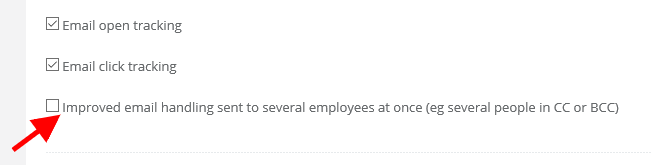
To prevent such a situation, you can turn on the feature for merging duplicate emails from one custom into one single email. NOTE: In order for the emails to be merged, they must fulfill two conditions: the title and the content of the email must be identical. If only the title or the content will differ, the filter will not work. Merged emails will be redirected to the folder ‘To Assign’.
After activating this option, the system will check if within 5 minutes another email with the same title and content has not been received. If that is the case it will merge it with the first email. The feature also works for emails that have been sent as CC or BCC.
To enable this feature on your account, navigate to Settings > Helpdesk settings and highlight the check box Improved email handling sent to several employees at once (eg several people in CC or BCC) .