Not all unwanted messages can be easily filtered out by our automated algorithms. Sometimes human internvention is necessary to catch all offending email. To make this easier, we have added a custom filter functionality to Sugester.
Spam Filter:
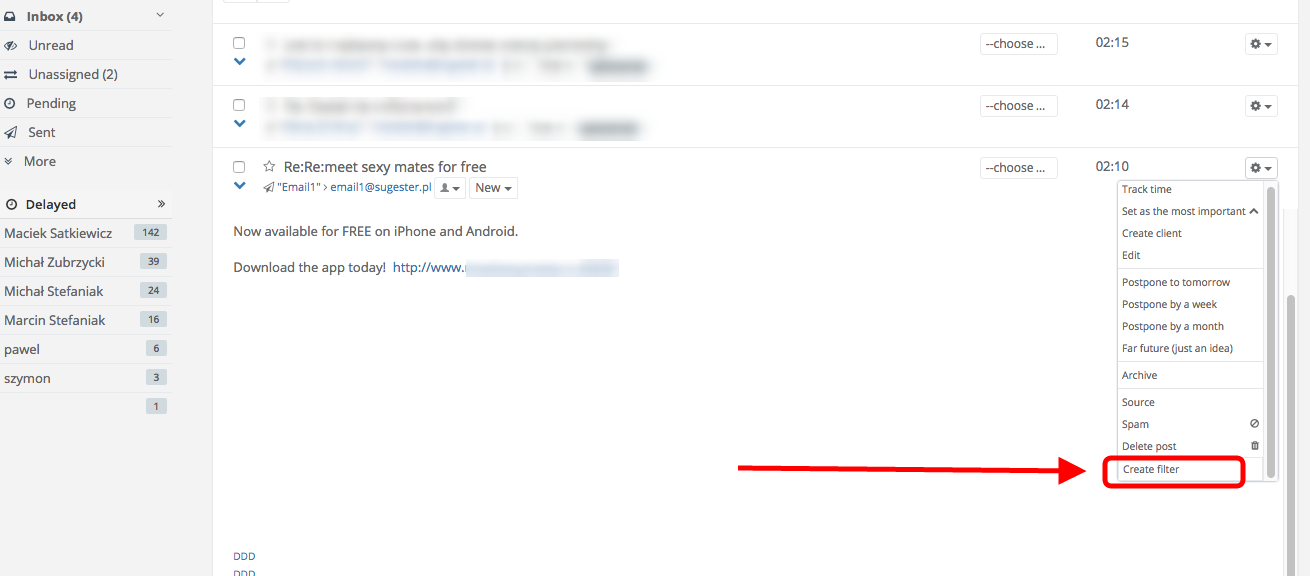
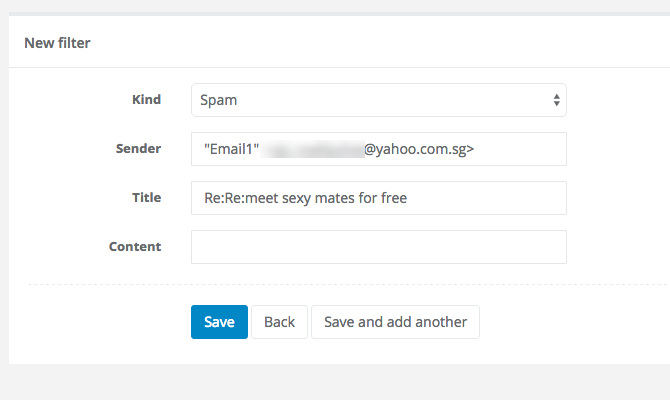
When you see a spam message in your inbox, just click the wrench icon on its right-hand side and choose 'Create filter' from the drop-down list. On the next screen you can review the filter's parameters and adjust them if you want to. Then just click save and you're done - even less spam to worry about.
You can also assign email directly to speciffic project or person. etc