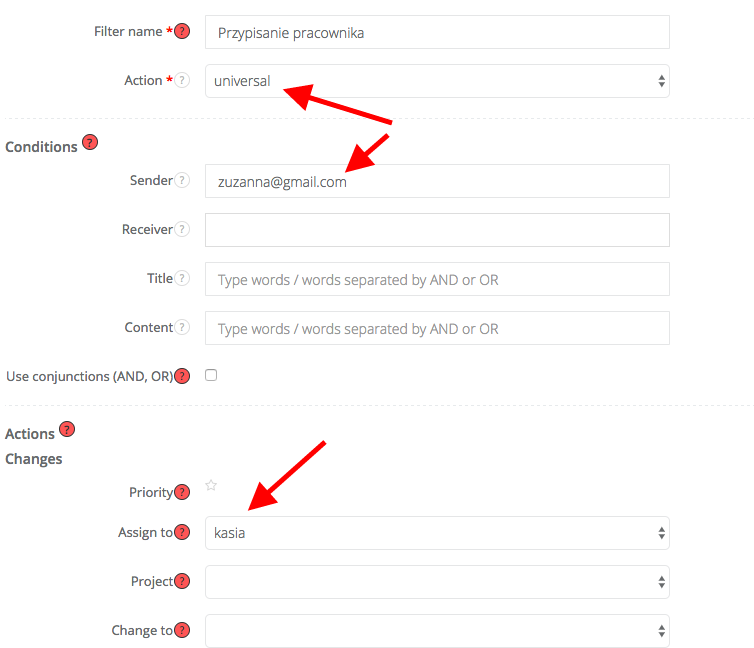
Just enter the Filters and select the type - universal.
You must fill at least one Condition field. Next we select the person to whom messages will be allocated.
Filters you will find: Settings -> Module automation settings -> Filters
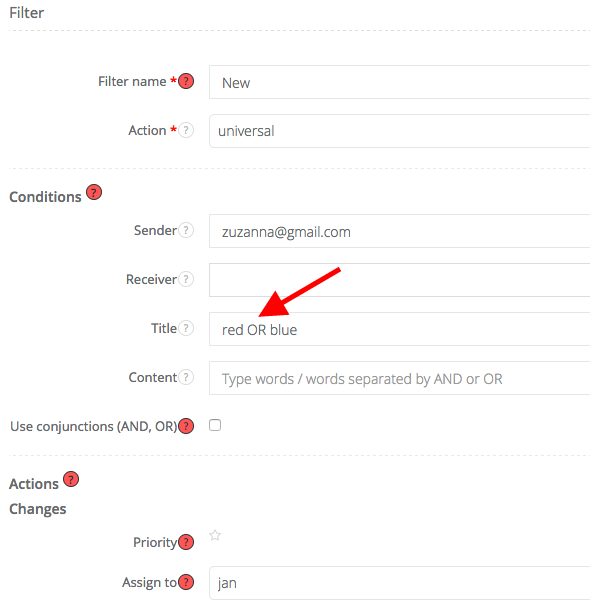
Note: We added a new option to the filters - they now support the OR / AND function. If you want the filter to be even more effective, use this feature when filling out fields - Sender, Title, Content. The more fields you fill in, the more accurate the filter.
Keep in mind that if you apply an OR rule (for example, in the title field you type - yes OR no), the system will filter all mails that contain the word "yes" or "no" in the title.
If you use the AND rule (for example, in the title field you type - yes AND no), the system will only consider emails that include both "yes" and "no" in your title.
Important: OR / AND always have to type with Caps Lock.