Skip to content
Sugester Help

How to add an internal comment in a single email thread

Updated at: Number of views: 2261 1 min read
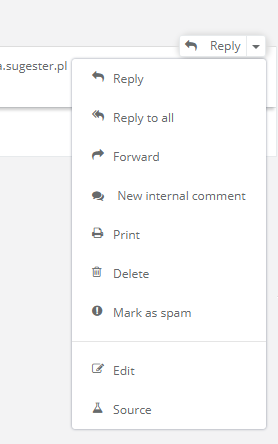
To add an internal comment to an email (i.e. for the purpose of redirecting the email to another team member) you have to the use the drop-down menu in an email reply thread and select: “New internal comment”:


Next, provide the content of the comment...
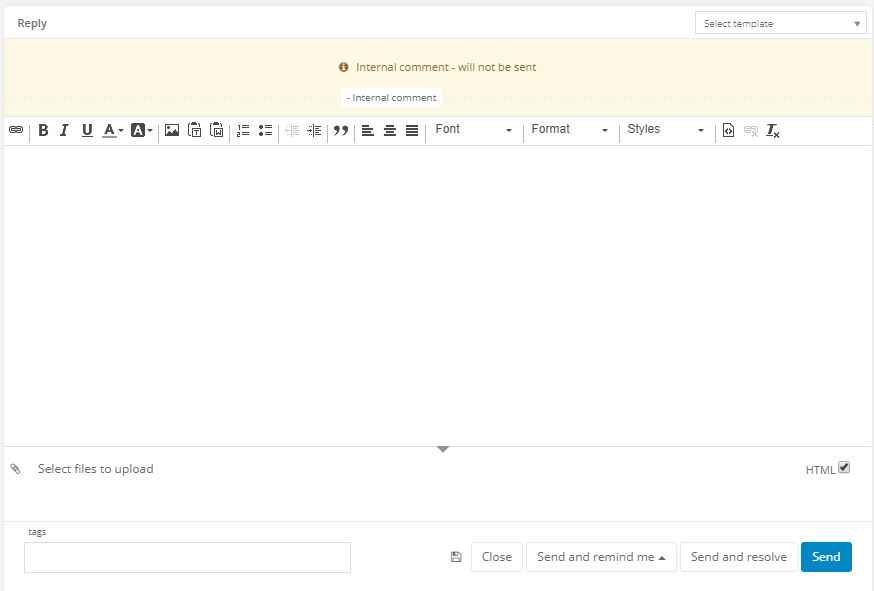


… and after saving it it will be visible in the thread as a message and its content will be distinguished from other messages by the yellow color and a speech bubble. 



Additionally, should the need arise you can add attachments to internal comments. 


Back 

Was this entry helpful?

Share

Comments