- Go to Settings > account settings > automation > filters
- Add new filter - in field "action" choose "universal"
- In field "receiver" choose mailbox (SMS will be send only when new email will come to this email box)
- Check "SMS notification" , and then choose mobile number to receive the notification
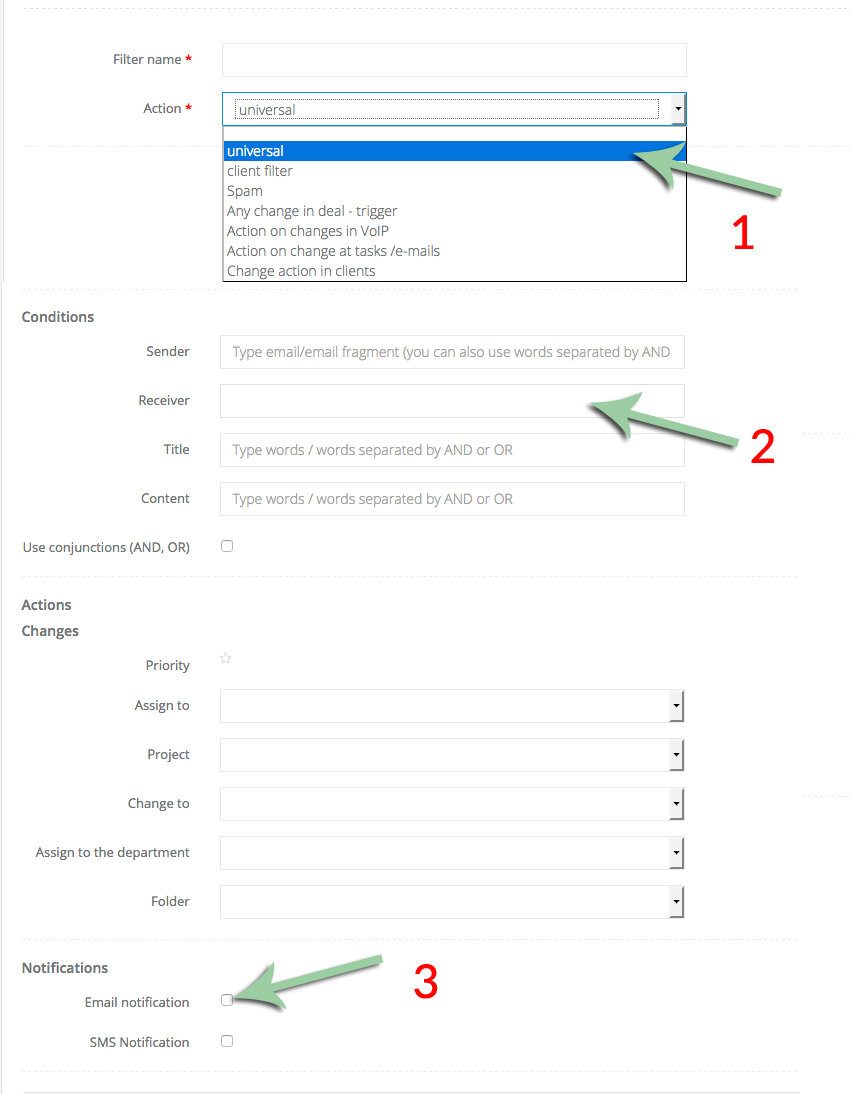
After that, everything should work perfect :)
You can create similar filters based on any condition. So for example - you can choose that only email that have word "gold" in the title causes SMS sending etc.