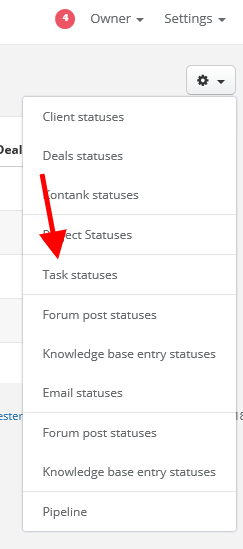
By default system will display a window with clients' statuses, but if you unfold an arrow next to the cog icon, you will also see 'Task statuses'
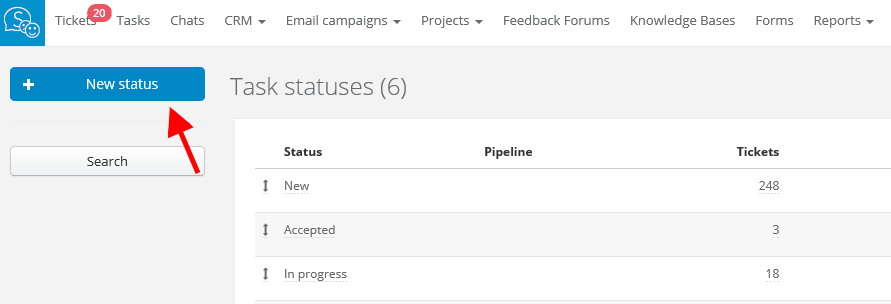
Click on Task statuses > New status and add as many statuses as you need to manage your tasks.
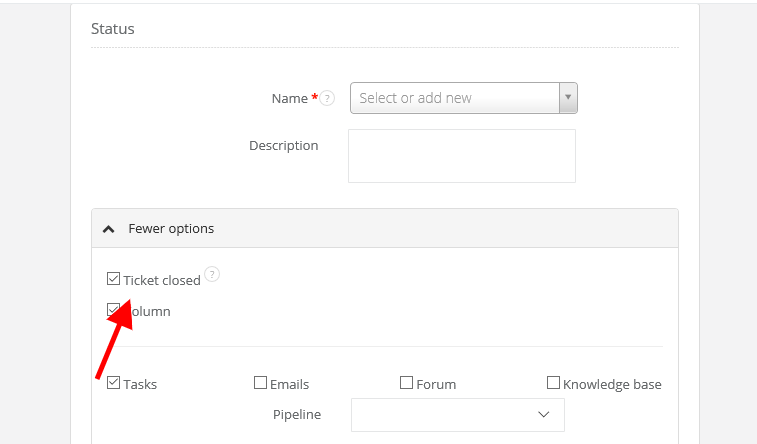
While adding new status, you can define its name and colour, and also mark if particular status should resolve a task.
Remember that on your status list at least one status must resolve a task. By default it's a 'Resolve' status. You can also change the name of default status or add your own and mark 'Ticket closed' checkbox.