Skip to content
Sugester Help

Reversed advanced search

Updated at: Number of views: 1912 1 min read
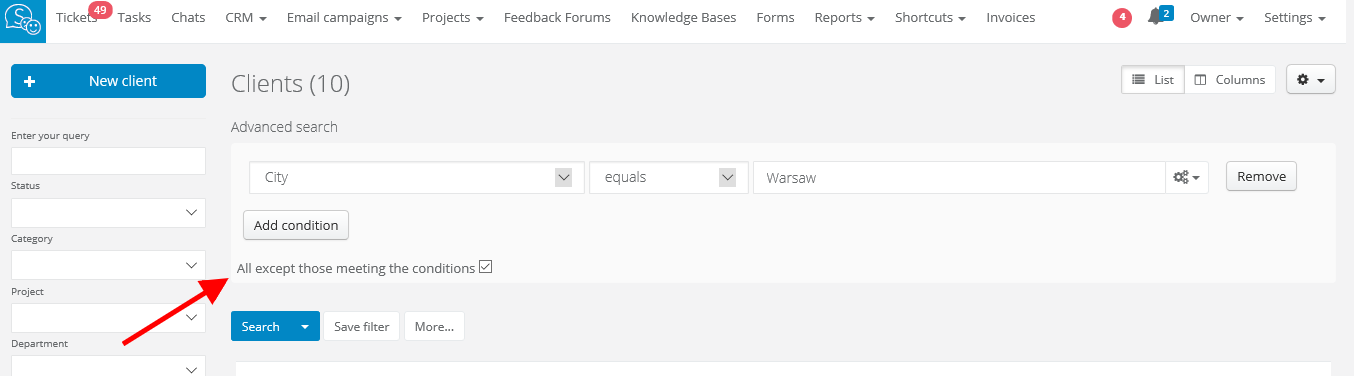
In Sugester not only you can look for records that match chosen conditions, but also for items that don't meet this conditions. It's very useful in a situation when you need to find everything except for one detail, eg. all clients outside a chosen city or the ones without notes on their profile. You just have to select CRM > Clients > Advanced search and add a condition, then mark the checkbox All except those meeting the conditions. The system will search for all records without the one you've added.  
Was this entry helpful?

Share

Comments