You can have Sugester on your own domain. It enable users and guests login to Sugester from addresses with your own domain (eg. helpdesk.yourcompany.com instead of yourcompany.sugester.com). To have Sugester with your own domain, do the following:
1. Add a new record to your domain.Record should be named eg. help.yourcompany.com, CNAME kind and value: dns1.sugester.com.
2. Change Sugester's settings.
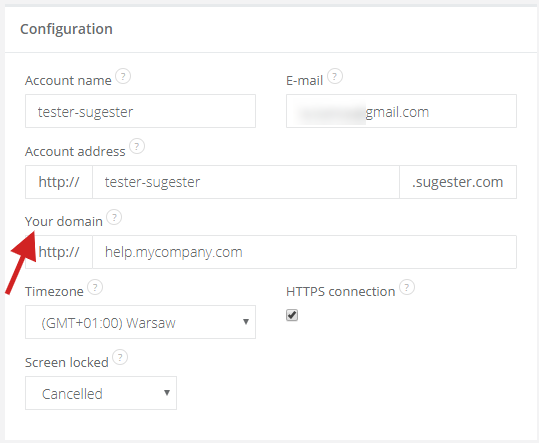
To change your account's address, select Settings > Account settings. Select Change next to the account's address. Next, in Your domain field type in a new address (eg. help.yourdomain.com) and hit Save.
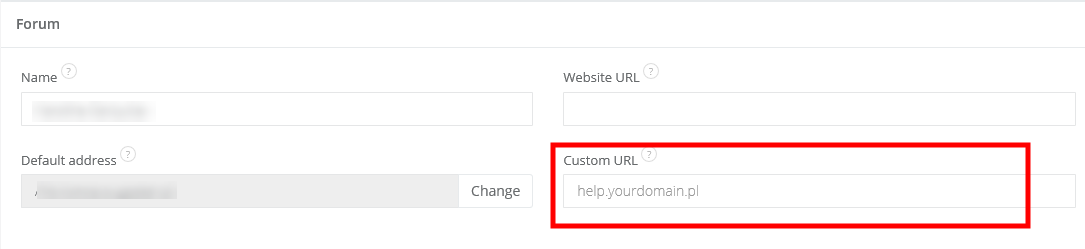
To change the Forum address, select Settings > Forum settings, and in the Custom URL field type in the new address.
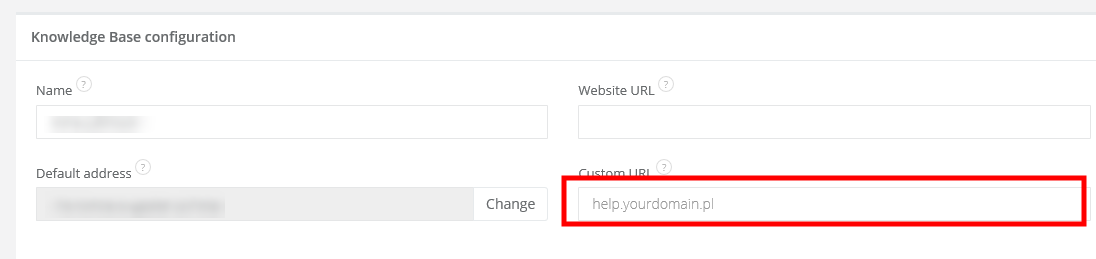
To change the Knowledge Base address select Settings > Knowledge Base Configuration, and in the Custom URL field type in new address.
Note: this feature is available in plans Max and Enterprise. It's also good to consider your own SSL certificate.
Let us know at helpdesk@sugester.com if you need any help.