Skip to content
Sugester Help

Variables in email's name

Updated at: Number of views: 1840 1 min read
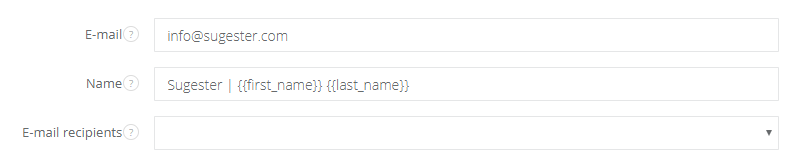
In Sugester you can add a lot of mailboxes to your account. Part of them is personalized and assigned to particular users, and the second part is more general, like info@yourdomain.com or office@yourdomain.com. If you want to send an email from a general address but with your name and last name, you can use variables. Go to Settings > Email settings > Email boxes and select a mailbox you want to edit. In the Name field type {{first_name}} {{last_name}}. From now on your client will see who emails him, even if it's sent from a general address  
Was this entry helpful?

Share

Comments