Learn more about:
- enabling notifications
- sending notifications to the address outside of Sugester
- notifications view in the system
Enabling notifications
You can enable notifications in Settings > Helpdesk settings > Notifications: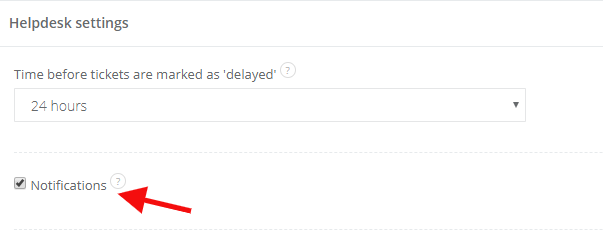
This way you'll receive a notification about each task or email assigned to you. If you also want to receive an info about unassigned posts, go a little bit lower. Here mark Enable notifications for unassigned tickets checkbox:
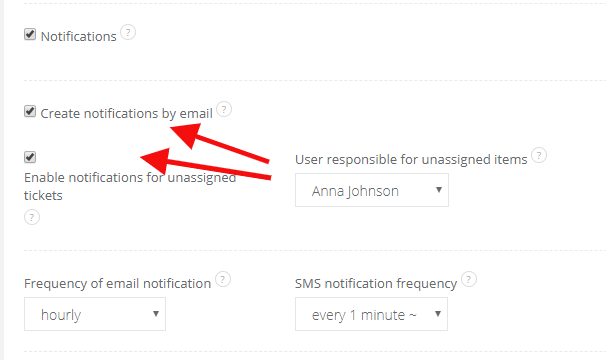
If you want to receive notifications about new emails as well (eg. when you have your default mailbox outside of Sugester), mark the Create notifications by email checkbox. You can also assign a person responsible for unassigned posts and how often notifications will be sent.
Sending notifications outside of Sugester
After enabling notifications you can add another email address, which you don't have added in Sugester. Unfold an arrow in your login at the top right corner and select Edit profile. Mark the Notifications checkbox and and type in your email:
Pamiętaj również o zweryfikowaniu adresu notyfikacji. Instrukcje znajdziesz w artykule: Weryfikacja adresu notyfikacji. Also, make sure you verified your notification address. You can learn more in the article Notification address verification.
Notification view in the system
After enabling notifications, in the top right corner you, you will see a bell icon.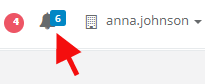
You can go to a task/email by clicking in the link.
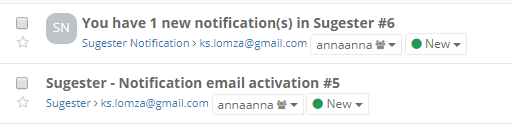
You will also receive notifications in your inbox: