Sugester enables you to manage the access to your clients' sensitive data. Sensitive data is eg. email address or a phone number, so this feature lets you decide, what kind of access to clients' data your employee will have.
You can enable hiding sensitive data for all your clients or just chosen records
Activate 'Hide sensitive data'
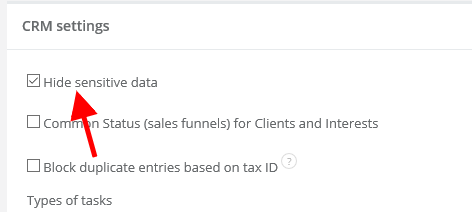
1. To enable the feature for the whole account, select Settings > CRM settings and mark the Hide sensitive data checkbox .
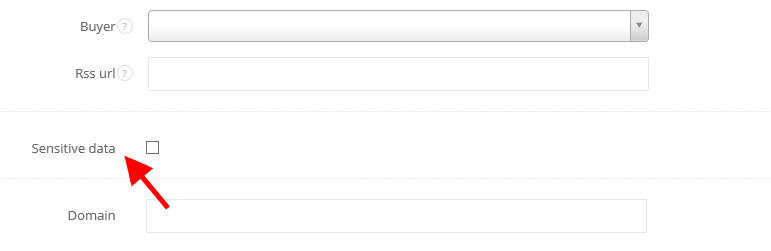
2. If you want to enable this feature for chosen clients only, select CRM > Clients, select particular client, click on Edit in right top corner, unfold More options and mark the Sensitive data checkbox. Then hit Save.
User's access to sensitive data
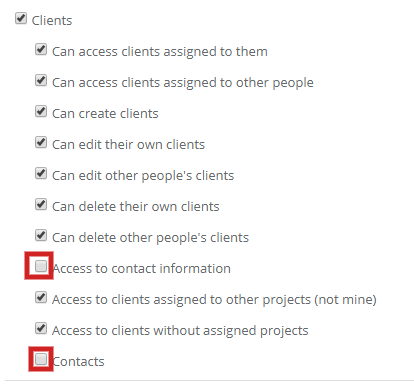
If you want to limit user's access to clients' sensitive data, you can't just activate the feature. You have to give your user a role with specific privileges. To do that, select Settings > Users > Roles > +New role and create a role, but DO NOT mark checkboxes: Access to contact information and Contacts.
After creating a role user will see all client's data, except for email address and a phone number.