Handlebars enable you to create a dynamic header, report or document template.
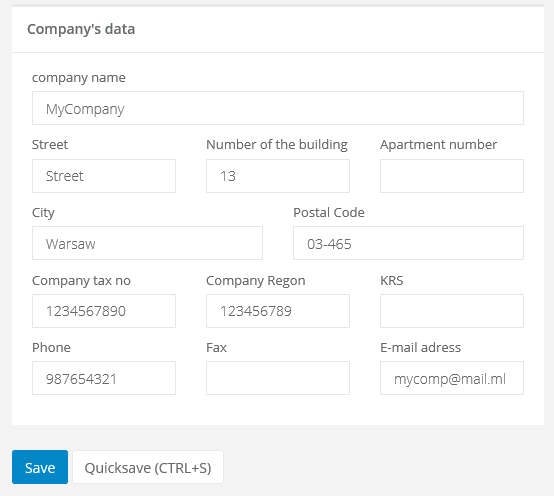
The list of handlebars for your company data:
- {{company_name}} - company name
- {{company_street}} - the street on which your company is located
- {{company_street_number}} - the building number, where your company is located
- {{company_locale_number}} - the office number, in which your company is located
- {{company_city}} - city in which your company is located
- {{company_postal_code}} - the postal code
- {{company_tax_no}} - VAT number
- {{company_regon}} - REGON
- {{company_krs}} - KRS
- {{company_phone}} - phone number for your company
- {{company_fax}} - fax number for your company
- {{company_email}} - company email adres
If you want to supplement your companies data in Sugester, go to Settings > Account Settings > Fill out all the fields in the window ‘Company's data’.