Adding activity to a client
If you're adding activities to your client's profile, you just have to unfold the arrow next to Send email button in top left corner and select +Activity. In the new window you can type the name and describtion of activity.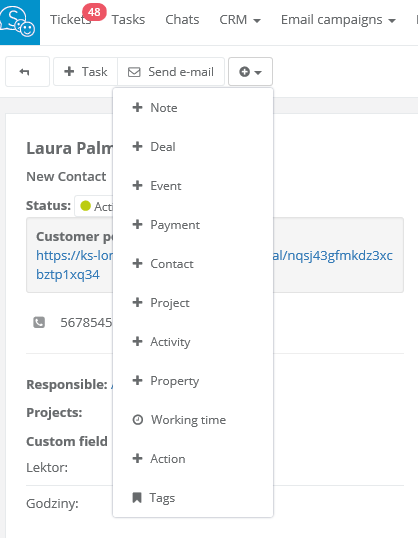
Activities list will be displayed in client's profile:
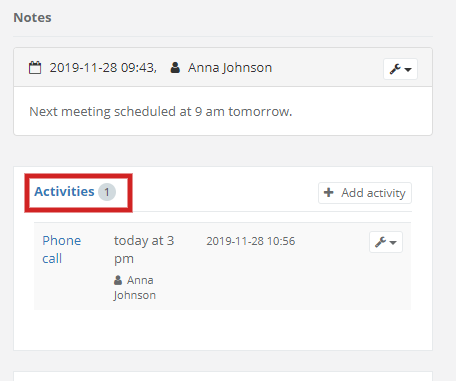
On the list you will see: kind of activity, name of user, who added activity and the date it was added.
At any time you can go to chosen activity, just click on its name.
Next activities you can add by clicking +Add activity, on the right side of activities' list.
Editing activities
Sometimes you have to make some changes or delete a record. To do so, select the wrench icon next to the activity: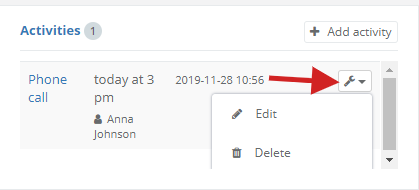
You can edit acitivity, but the date will not change.
All activities list
In each client's profile you can see the list of manually added activities. From this position you can see all clients activities. Just click on Activities in client's profile. The system will transfer you to activities list. From here you can see, edit and delete activities. You can do it all with the wrench icon on the right side of the list. You can also export all activities.