To go to users' settings, select Settings > Users.
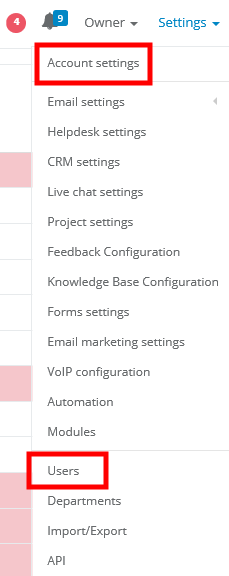
Click on user's login, whose profile you'd like to see. You will a window like the one below:
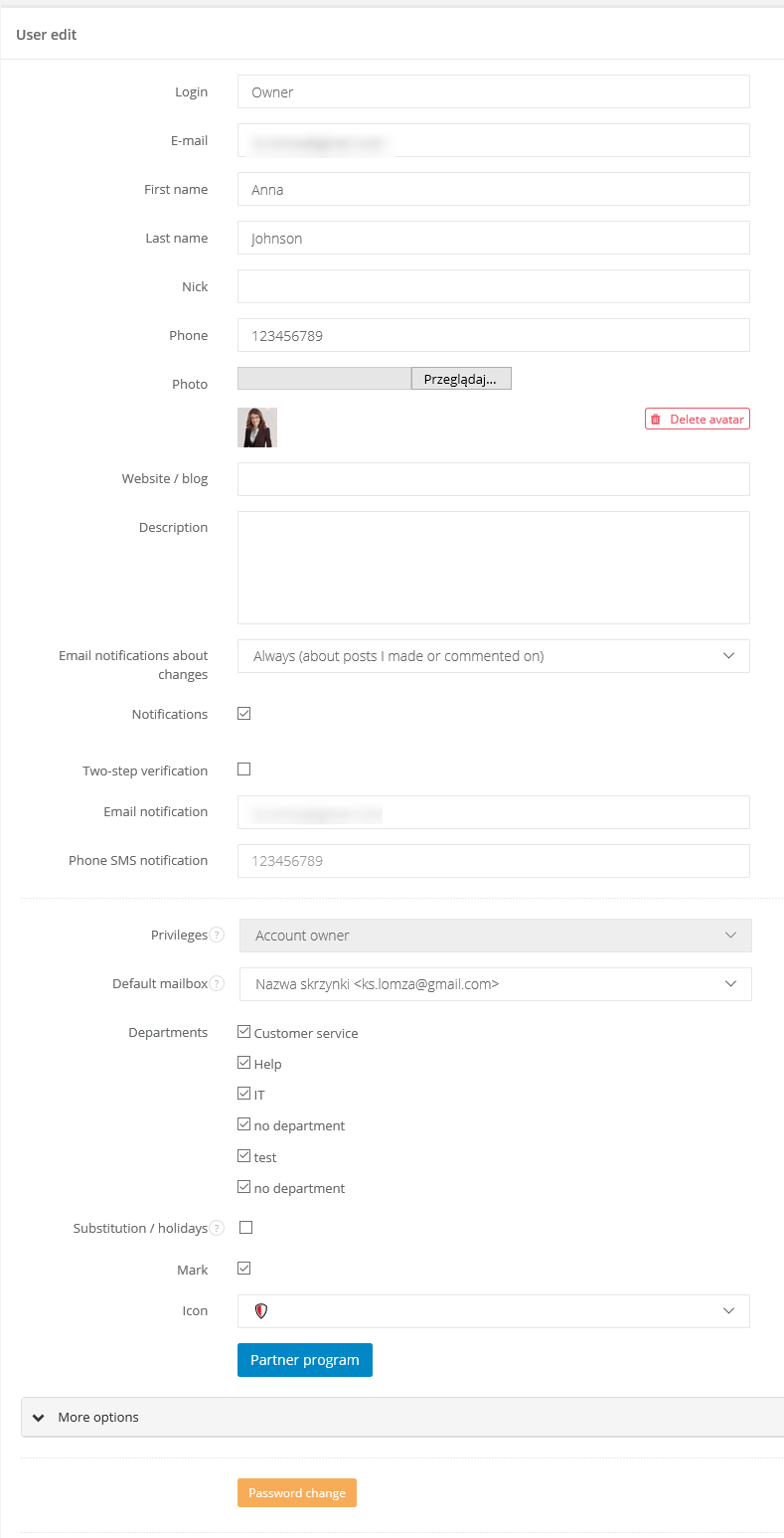
W profilu użytkownika możesz dokonać następujących zmian: In user's profile you can change following information:
1. login, email address, name and last name, phone number, describtion, photo, website
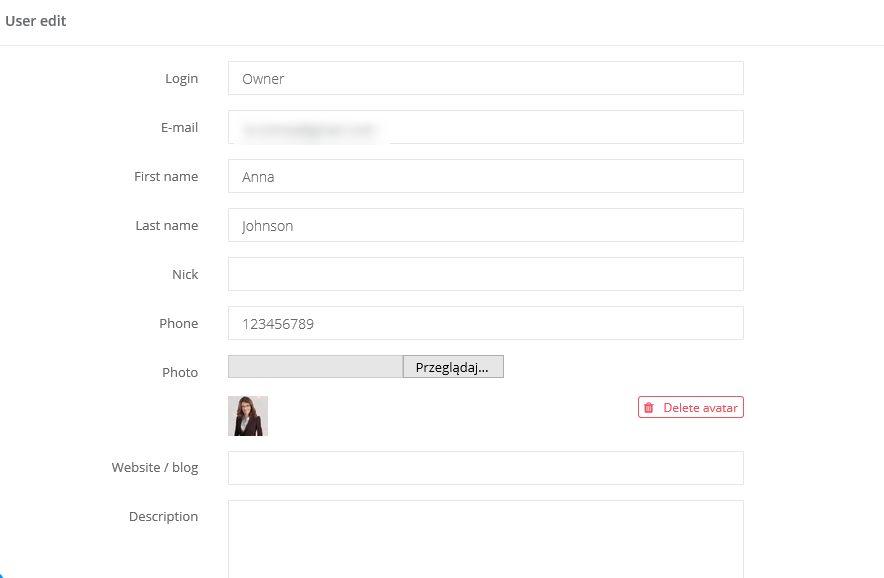
- login - note that for login you can use name/last name, email address or whatever else you want
2. user's privileges, access to departments, enabling notifications, holiday/substitution
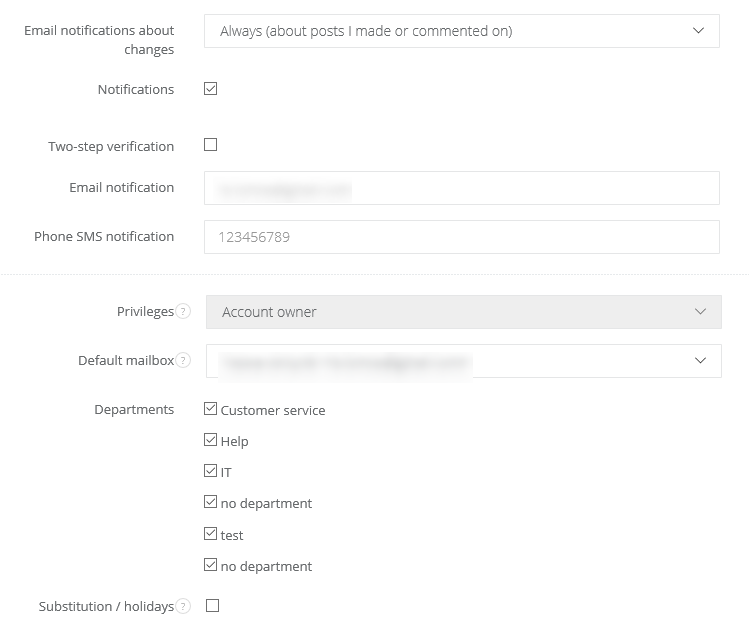
- email notifications about changes - feature for users with feedback, if they should receive email notifications about new suggestions/comments
- notifications - mark this feature if you want a user to receive notifications about new email/task. Notifications are also sent when someone add a new comment to a task or resolve it. After marking this checkbox you will see two new fields, where you can type notification email and phone number.
- privileges - each user should have some privileges which give them access to the system's data
- default mailbox - select user's default email address
- departments - here you can give a user an access to data in particular departments. If you also want a user to have access to data with no department, remember to mark the checkbox 'no department'
- substitution/holidays - mark if a user is on a leave (learn more: https://help.sugester.com/7871213-Feature-holiday-vacation-replacement)
- mark - mark user with a symbol
- partner program - https://sugester.pl/program-partnerski learn more: https://sugester.com/partners?b
3. access to email boxes, projects, and email templates (unfold More to have access to this settings)
4. block account - jeśli zaznaczysz ten checkbox użytkownik nie będzie mógł się już zalogować do Twojego CRMu, ale wszystkie zadania, maile, klienci będą nadal do niego przypisani, w systemie nadal będą dostępne informacje z kim były pracownik prowadził korespondencję i jakie maile wysyłał. if you mark this checkbox, a user won't be able to login, but all his/her tasks, emails, clients will be assigned to him/her and in the system there will be an info about user's conversations.
5. password change - here you can change current password.